Face ID has transformed how we unlock our devices, make payments, and access sensitive apps with just a glance. Introduced by Apple in 2017 with the iPhone X, this facial recognition technology combines hardware, software, and machine learning for seamless, highly secure authentication.
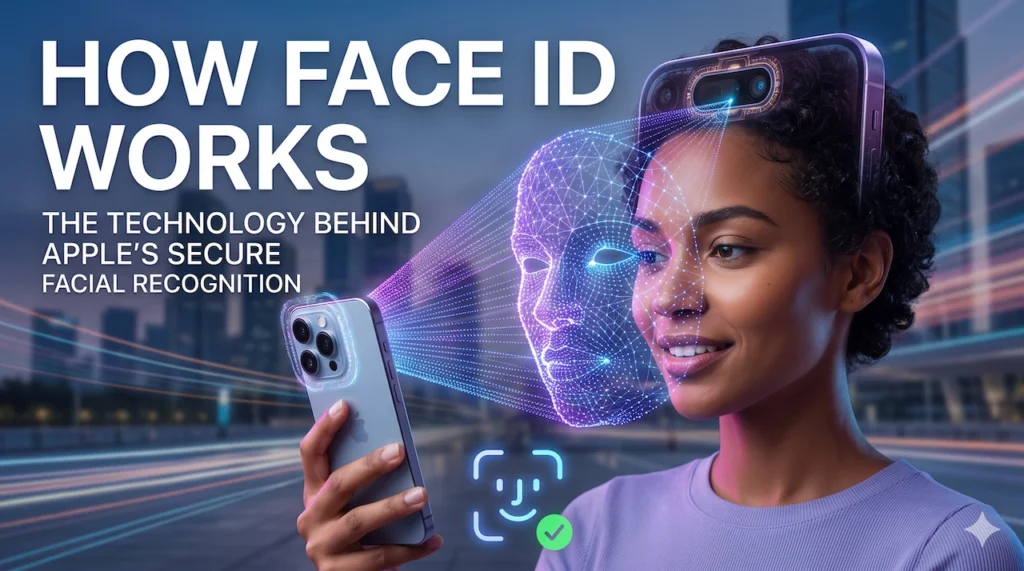
Whether you’re a tech beginner curious about the magic behind the notch or a enthusiast diving into biometrics, this guide help you find out how Face ID works, its Face ID technology, security features, and much more. We’ll cover everything from the TrueDepth Camera to real-world performance.
What is Face ID?
Face ID is Apple’s biometric facial recognition system uses advanced sensors and artificial intelligence to authenticate users securely and conveniently. Instead of passwords or fingerprints, it recognizes your face geometry in 3D, which is unique.
Compatible Apple Devices
Face ID is available on:
- iPhone X and all newer models (except iPhone SE series).
- iPad Pro models from 2018 onward (11-inch and 12.9-inch).
It powers is unlocking, Apple Pay, App Store purchases, and app-specific authentication.
Difference Between Face ID and Touch ID
Touch ID (fingerprint scanner) relies on capacitive sensors to read ridge patterns. Face ID uses 3D facial mapping for greater depth and complexity. Face ID generally offers faster, more convenient unlocking in various conditions, while Touch ID excels in low-light or when you are not facing the device. Apple positions Face ID as a more advanced evolution than touch id.
How Face ID Works (Step-by-Step)
The TrueDepth Camera System is core of Apple Face ID technology. Located in the Dynamic Island or notch depend on the system, it used infrared light to gets detailed data of face. infrared light is invisible to human eye.
TrueDepth Camera System
This array includes multiple components working together:
- Infrared Camera: Reads the infrared pattern projected onto your face.
- Flood Illuminator: Emits infrared light to illuminate your face, this make usable in complete darkness.
- Dot Projector: Projects over 30,000 invisible infrared dots onto your face, creating a unique depth map.
Neural Engine
Data from the camera feeds into the device’s Neural Engine (part of Apple Silicon chips like A11 Bionic and later). This processes the information using machine learning models trained for facial recognition feature.
Creation of a Mathematical Facial Map
- The device detects your face.
- The dot projector casts the infrared grid.
- The infrared camera captures the distorted pattern and depth information.
- Combined with a 2D infrared image, this creates a detailed 3D model.
- The Neural Engine converts this into a mathematical representation—a string of numbers, not an image or photo.
This template is encrypted and stored securely.
Authentication Process
When you glance at your device:
- TrueDepth sensors scan again.
- The new map is compared to the stored template in the Secure Enclave.
- If it matches closely, authentication succeeds instantly—often in under a second.
All processing happens on-device for privacy.
Face ID Setup Process
Setting up Face ID is straightforward:
- Go to Settings > Face ID & Passcode and enter your passcode.
- Tap Set Up Face ID.
- Position your face in the on-screen frame and rotate your head slowly (or follow prompts) to capture multiple angles.
- Repeat for a second scan to improve accuracy.
For iPhone 12+, you can enable Face ID with a Mask.
Secure Storage of Facial Data
The mathematical representation is encrypted with a key accessible only to the Secure Enclave—a tamper-resistant coprocessor isolated from the main system. Data never leaves your device or backs up to iCloud. Apple can’t access it.
Security Features
Face ID security stands out due to layered protections:
- Attention Awareness: Requires your eyes to be open and looking at the device (can be disabled for accessibility).
- Anti-Spoofing Technology: Detects liveness using depth data, randomized patterns, and neural networks to reject photos, videos, or masks.
- Works in Low Light and Darkness: Infrared tech ensures reliability regardless of visible light.
- Secure Enclave: Handles all matching in an isolated, encrypted environment.
- Privacy Protection: On-device processing; no cloud transmission.
- Adaptive Learning: Updates the template slightly with successful matches (after passcode confirmation) to account for aging or minor changes.
Apple claims a false positive rate of about 1 in 1,000,000.
Face ID vs Fingerprint Scanner (Touch ID)
Both are excellent, but they suit different needs.
| Feature | Face ID | Touch ID |
|---|---|---|
| Accuracy | Higher (3D mapping) | High (but 1 in 50,000) |
| Speed | Very fast with a glance | Fast with deliberate touch |
| Convenience | Hands-free, works while holding naturally | Requires finger placement |
| Security | Stronger against spoofs generally | Reliable, but easier to coerce |
| Use Cases | Unlocking, payments, dark environments | Gloves, sunglasses, quick touches |
Face ID shines in natural use and security depth, while Touch ID (on older iPhones or some iPads) is preferred by some for deliberate action or when wearing masks/sunglasses.
Can Face ID Be Fooled?
Face ID technology is robust, but not invincible:
- Photos/Videos: Easily rejected due to lack of depth and liveness detection.
- Masks: Basic masks fail; sophisticated 3D masks are extremely difficult and costly.
- Twins: Identical twins may occasionally trigger it, though probability remains low.
- 3D Models: Early demos existed, but improvements (randomized dots, attention checks) have mitigated most.
Real-world tests show high resistance. Still, combine with a strong passcode.
Situations Where Face ID May Not Work
- Heavy sunglasses (blocks infrared).
- Face masks (pre-iOS 15.4 or non-supported models).
- Significant facial changes (beard growth, surgery—reset and re-enroll).
- Obstructed camera (dirt, screen protector issues).
- Extreme angles or poor positioning.
In these cases, it falls back to your passcode.
Tips to Improve Face ID Performance
- Keep the TrueDepth area clean.
- Re-enroll after major appearance changes or new glasses.
- Enable “Face ID with a Mask” where available.
- Position naturally—about 10-20 inches away.
- Update iOS for the latest improvements.
- Use “Alternate Appearance” for glasses, hats, etc.
- Restart your device if issues persist.
Frequently Asked Questions (FAQ)
1. Is Face ID safe? Yes, with on-device processing and Secure Enclave, it’s highly secure.
2. Does Face ID work with masks? Yes, on iPhone 12+ with iOS 15.4+ when enabled.
3. Can Apple access my Face ID data? No. It’s encrypted and stored only on your device.
4. Does Face ID work in the dark? Yes, thanks to infrared flood illuminator.
5. What if my face changes? Re-set up Face ID or use Alternate Appearance.
6. Is Face ID better than Touch ID? It depends—Face ID is often more convenient and secure in 3D depth.
7. Can someone unlock my phone while I sleep? With Attention Awareness on, no. Disable only if needed for accessibility.
8. Does Face ID store photos? No, only mathematical data.
9. Will Face ID work with sunglasses? Clear lenses usually yes; dark sunglasses often no.
10. How do I reset Face ID? Settings > Face ID & Passcode > Reset Face ID.
11. Does it work for Apple Pay? Yes, with attention confirmation.
12. What about twins or family members? Low chance, but set a passcode as backup.
Pros and Cons
Pros:
- Extremely convenient and fast.
- High security with anti-spoofing.
- Adapts to changes.
- Works in all lighting.
- Seamless across Apple ecosystem.
Cons:
- Requires facing the device.
- Issues with certain accessories (masks, sunglasses).
- Not available on all devices.
- Potential privacy concerns (though mitigated by design).
Conclusion
Face ID exemplifies Apple’s blend of innovative Face ID technology, TrueDepth Camera, and Secure Enclave protection. It delivers secure, effortless authentication that feels like science fiction but works reliably in daily life. While no system is perfect, its combination of hardware and software makes it one of the most advanced consumer biometric solutions available.
As Apple continues refining it with new iOS updates and hardware, Apple Face ID will likely remain a benchmark for facial recognition. Ready to experience it? Set it up on your compatible device and enjoy the future of secure access.