Have you ever flipped on a light switch and wondered how that tiny bulb instantly filled your room with bright, efficient light—without getting scorching hot like old incandescent bulbs? Or noticed how your smartphone screen, computer monitor, or massive digital billboard delivers crisp, vibrant images with incredible clarity?
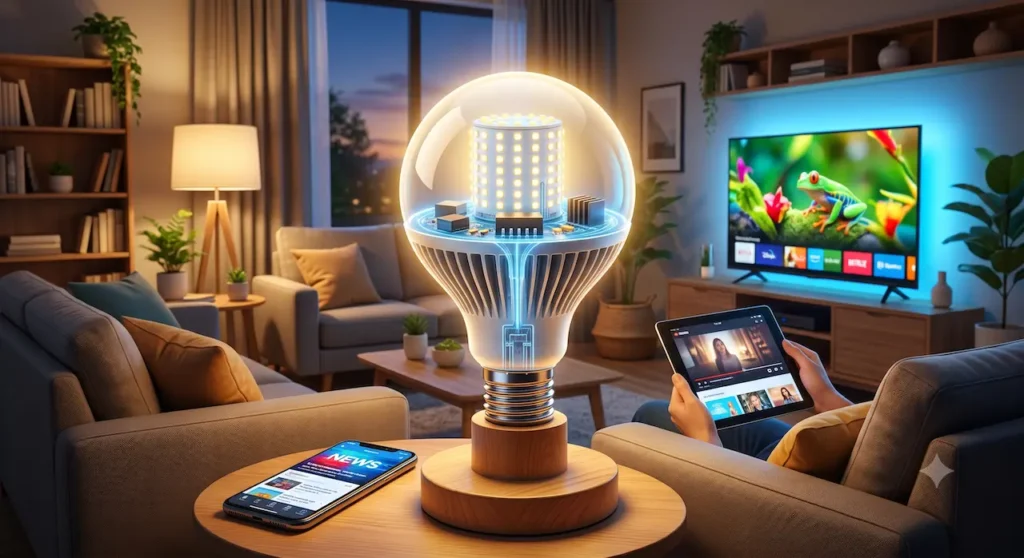
The answer lies in one remarkable technology: the Light-Emitting Diode, or LED. The same principle that makes your energy-saving LED bulbs shine also powers the displays in your everyday devices.
LED technology has transformed how we light our homes and view the world. In this post, we’ll explore how LED bulbs work, dive into LED screen technology, compare options like LED vs. LCD, and uncover practical benefits for homeowners, students, and tech enthusiasts. Whether you’re curious about upgrading your lighting or understanding your monitor, you’ll gain clear insights backed by real science and examples.
What Is an LED?
An LED, or Light-Emitting Diode, is a small electronic component that emits light when an electric current passes through it. Unlike traditional bulbs that heat a filament to glow, LEDs produce light through a process called electroluminescence.
A Brief History
The foundation of LED technology dates back to the early 20th century, with practical developments in the 1960s. In 1962, Nick Holonyak Jr. at General Electric created the first visible red LED, often called the “magic one.” Early LEDs were used as indicator lights on electronics. White LEDs emerged in the 1990s, paving the way for widespread lighting and display use. Today, LEDs dominate due to rapid improvements in efficiency and cost.
LEDs revolutionized lighting because they convert electricity directly into light with minimal waste, unlike tradditional bulb that waste most of energy as heat.
How LED Bulbs Work?
At the heart of every LED bulb is a semiconductor chip, typically made from materials like gallium arsenide or gallium nitride.
Semiconductors and the PN Junction
Semiconductors have properties between conductors (like copper) and insulators (like glass). In an LED, two layers form a PN junction:
- N-type (negative): Excess electrons.
- P-type (positive): “Holes” where electrons can go.
When you apply voltage, electrons flow from the N-side to the P-side. As they recombine with holes, they release energy as photons—particles of light. The color depends on the semiconductor’s band gap (energy difference): different materials produce red, green, blue, or other colors.
Analogy: Imagine a waterfall where water (electrons) drops from a high ledge to a lower pool, releasing energy as light instead of sound or splash.
In a bulb, many tiny LEDs are arranged in an array, often coated with phosphor for white light (blue LEDs + yellow phosphor). A driver circuit manages the current for steady operation.
Energy Efficiency and Heat
LEDs are highly efficient because they produce little heat—most energy becomes visible light (up to 80-90% efficiency vs. ~10% for incandescents). They run cool, reducing fire risks and air conditioning loads.
Why LED Bulbs Are Better Than Traditional Bulbs
LEDs outperform incandescents and CFLs in nearly every way:
- Energy Efficiency: Use at least 75% less energy. A 60W incandescent equivalent might use just 9-10W.
- Lifespan: Last 15,000–50,000+ hours (15–25+ years of typical home use) vs. 1,000 hours for incandescents.
- Durability: Shock-resistant with no fragile filament.
- Environmental Benefits: No mercury (unlike CFLs), fully recyclable, and lower CO₂ emissions. Widespread adoption could save massive energy—equivalent to dozens of power plants in the US alone by 2035.
- Cost Savings: Higher upfront cost but pays back quickly. One LED bulb can save $80+ over its lifetime.
Real-World Example: Switching a home with 20 bulbs could cut lighting bills by hundreds annually while reducing your carbon footprint.
The Science Behind LED Screens
LEDs don’t just light rooms—they create images on screens.
Pixels and Subpixels
A screen is a grid of pixels (picture elements). Each pixel often contains RGB subpixels—red, green, and blue LEDs or elements. By varying their brightness (via pulse-width modulation), they mix to produce millions of colors through additive color mixing.
Analogy: Like an artist mixing primary paints, but with light: full red + green + blue = white; none = black.
Refresh Rates and Brightness
High refresh rates (e.g., 60–144Hz or more) update the image smoothly, reducing blur in fast motion. LEDs enable high brightness (hundreds to thousands of nits), making screens visible in bright rooms.
How LED Technology Powers Monitors and TVs
Most “LED” screens are actually LED-backlit LCDs (Liquid Crystal Displays). LCDs use liquid crystals to block or pass light from an LED backlight; they don’t emit light themselves.
Key Differences:
- LED vs. LCD: “LED TV” usually means LCD with LED backlight (edge-lit or full-array). True direct LED displays (like large billboards) use LEDs as pixels.
- OLED: Organic LEDs where each pixel emits its own light. Perfect blacks (pixels turn off completely) but potentially lower peak brightness and risk of burn-in.
- Mini-LED: Uses thousands of tiny LEDs for better local dimming, higher contrast, and brightness than standard LED-backlit LCDs, bridging toward OLED performance without burn-in risks.
- LED Monitors: Offer sharp images, energy efficiency, and longevity for work, gaming, and entertainment.
Why Brighter and Sharper? Precise backlight control improves contrast, color accuracy, and viewing angles. RGB setups deliver vibrant colors.
LEDs in Everyday Life
- Smartphones & Laptops: OLED or LED-backlit screens for vivid displays and battery efficiency.
- Smartwatches: Tiny, power-efficient LEDs.
- Digital Billboards: Massive direct-view LED arrays for outdoor visibility.
- Automotive: Headlights, taillights, and interior lighting for safety and style.
- Smart Homes: Connected LED bulbs with app control, color-changing, and scheduling for ambiance and security.
Common Myths About LED Technology
Myth 1: LEDs never get hot. They do produce some heat (less than others), managed by heat sinks.
Myth 2: LED and LCD are the same. LED refers to the light source; LCD is the display technology often backlit by LEDs.
Myth 3: LEDs consume zero power when idle. They use very little but not zero—standby modes still draw minimal current.
Myth 4: Higher brightness always means better quality. Brightness matters, but contrast, color accuracy, and uniformity are equally important.
Myth 5: LEDs are bad for eyes. Quality LEDs with proper color temperature and flicker-free drivers are generally safe; blue light concerns apply to many screens—use night modes.
Future of LED Technology
The evolution continues with MicroLED: Even smaller LEDs forming self-emissive displays with superior brightness, efficiency, contrast, and flexibility. Ideal for AR/VR, foldable screens, and transparent displays.
Expect smarter, connected lighting systems that adapt to occupancy and daylight, flexible displays, and integration into energy-efficient smart cities. Market growth remains strong, with LEDs projected to dominate further.
Key Takeaways
- LEDs use semiconductors to convert electricity directly into light efficiently.
- The same tech lights bulbs and enables vibrant screens via RGB mixing and backlighting.
- Benefits include massive energy/cost savings, longevity, and versatility.
- Future innovations like MicroLED promise even better performance.
FAQ
1. How do LED bulbs work differently from incandescent ones? LEDs use electron recombination in semiconductors for light; incandescents heat a filament. LEDs are far more efficient and cooler.
2. What is the difference between LED and LCD screens? LCDs use liquid crystals with LED backlighting. True LED displays use LEDs as pixels.
3. Are LED bulbs worth the investment? Yes—payback in 1–2 years through energy savings and longevity.
4. How do RGB LEDs create all colors on screens? Varying intensities of red, green, and blue subpixels mix additively to produce the full spectrum.
5. Do LED monitors use more electricity? No, they are highly efficient compared to older tech, especially with adaptive brightness.
6. What should I look for when buying LED bulbs or monitors? Energy ratings (e.g., ENERGY STAR), color temperature (Kelvin), CRI for bulbs, and specs like refresh rate/contrast for displays.
Conclusion
LED technology beautifully unites illumination and information display. From saving money on your electric bill to enjoying immersive entertainment, it’s a shining example of innovation improving daily life.
Ready to upgrade? Switch to quality LED bulbs today or explore the latest LED monitors—your eyes, wallet, and the planet will thank you! Share your experiences in the comments below or subscribe for more tech insights.